

Prerequisites
- Open an Apple Developer account as an organization and prepare it for new app submissions.
- Create an App Store Connect API key and keep its .p8 file, Key ID and Issuer ID securely.
- Prepare your organization’s Google Play Developer account.
- Prepare the mobile app icon with the following specifications:
- Format: SVG format.
- Size: 72x72 px.
- Background: No background. The logo must be transparent.
- In Network settings > Billing, add the Member mobile app add-on to your subscription.
Get your member mobile apps created
- Invite Rntor’s publishing team at support@rntor.com to your Apple Developer organization account.
- As an owner, open Network settings > Member mobile app.
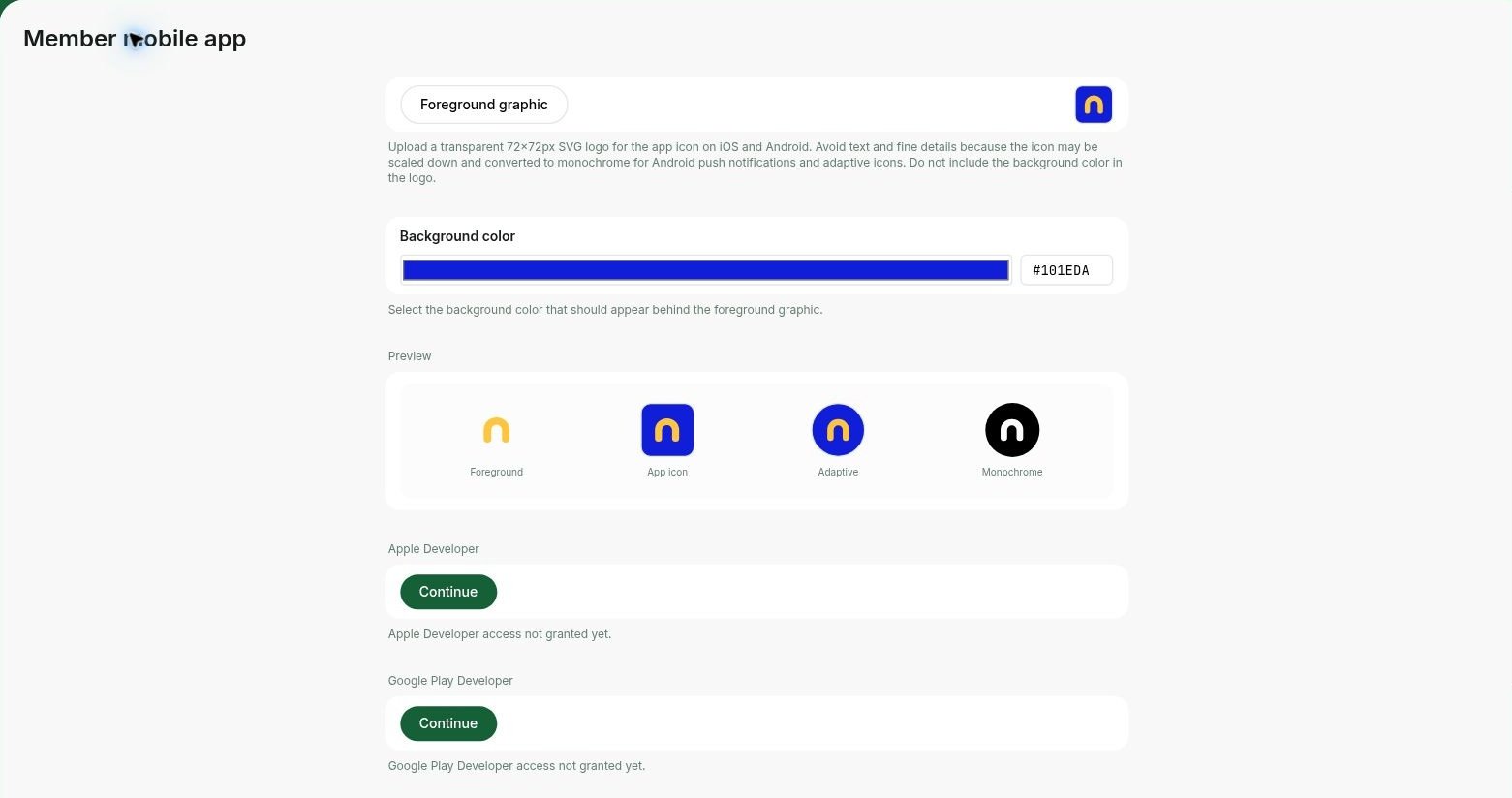
- Upload your Foreground graphic and select the Background color. Review the icon previews.
- Under Apple Developer, click Continue. After granting access, enable I have granted access, enter the Entity name and Team ID, and click Continue.
- Upload the .p8 API key and enter its Key ID and Issuer ID to connect App Store Connect.
- Under Google Play Developer, click Continue. After granting access, enable I have granted access, enter the Account name and Account email, optionally add the Developer ID / Organization, and click Continue.
Prepare for submission
Apple and Google review your app’s content and functionality. Missing content is a common cause for rejection and can significantly delay your launch. To ensure smooth approval, complete the following before submission:- Ensure your privacy policy and terms of use are compliant and include your network name.
- Add bookable resources (rooms, desks, offices, etc.) with cover images. If you don’t have the final images yet, use temporary ones and update them later.
- Create a post on the Feed page. This could be a message to welcome your first members.
- Create an upcoming event on the Events page with a description and cover photo. The event can be scheduled for any future date, and you can always edit or delete it after your apps are published.
- Complete the Information page with photos of your space, a description, contact details, location schedule, and any other relevant information.
Access member mobile apps
- Once your member mobile apps are published, your landing page will automatically be updated with App Store and Google Play badges with direct links for customers to download your member mobile app.
- You can also copy and share direct links to download your member mobile apps through your website, QR codes, social media, or advertisements. Promote mobile apps
The app requires Android 8.0 or later or iOS 17.0 or later.
How member mobile app works
- White-labeled and customizable: The member mobile app is fully white-labeled, allowing you to enhance brand presence with custom logos, colors, and push notifications.
- Accessible on Google Play and App Store: The app is available for download on both major platforms, making it effortless for customers to download it and access your services.
- Mobile-optimized experience: Members can use the same services as in the member web portal, with navigation and interactions adapted for phones.
- Better user experience: Users can make bookings, payments, join events, and access all your services faster and easier.
FAQs
How can I test the member mobile app before the release?
How can I test the member mobile app before the release?
Try a released member app using the App Store or Google Play links on a Rntor customer’s landing page. This lets you explore the member experience before your own app launches.
Is there a limit on the app name length?
Is there a limit on the app name length?
Yes, the limit for app names on both Apple’s App Store and Google’s Play Store is 30 characters. If your space name is longer, consider alternative names.