Supported languages
RNTOR supports the following languages:- English
- Arabic
Network language
The network language setting determines the default language for the following pages:- The landing page of the member web portal for all users.
- The Terms of use and Privacy policy pages.
- The Notifications preferences page opened from the email footer.
- The user login page for connecting to Wi-Fi using IronWiFi integration.
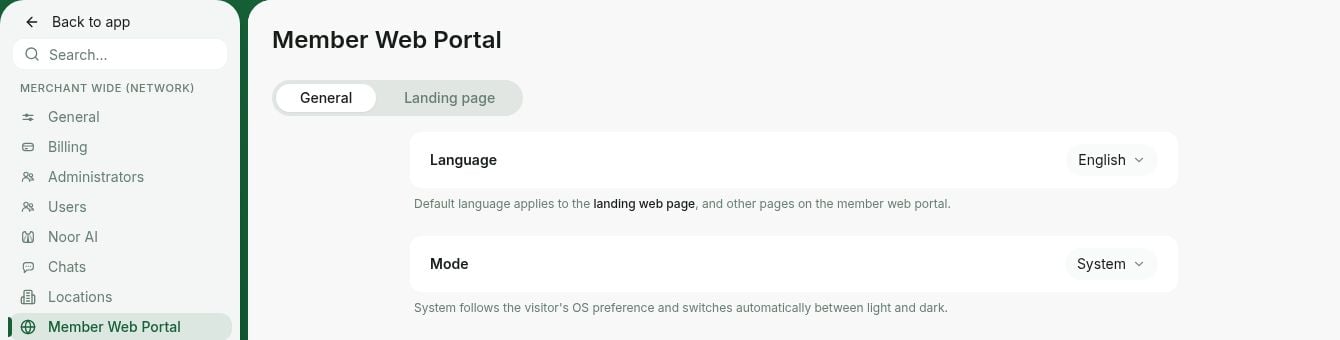
- Go to RNTOR as an owner > click the network name on the left-side panel.
- Select Network settings > Member web portal > General tab
- In the Language property, choose the preferred network language.
Location language
The location language determines:- The default language for member invitations. You can change the language of a specific invitation on the invite page.
- The language of the invoice and receipt PDFs.
- The language of emails sent to the company email and accounting email.
- Emails for visit invitations.
- Emails to visitors’ hosts with visit requests for approval or rejection.
- Payment gateway transaction descriptions (in your payment gateway’s dashboard).
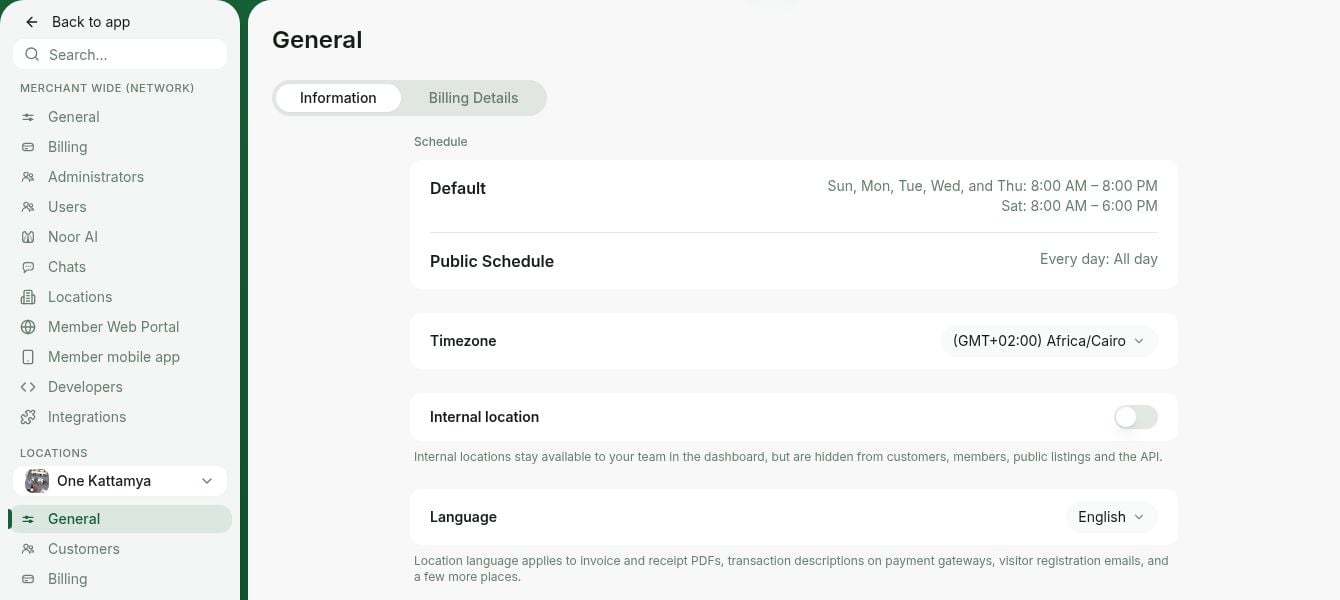
- Go to RNTOR > press the (…) button next to the location name on the left-side panel.
- Select Location settings > General > Information tab.
- In the Language property, choose the preferred location language.