Welcome to the Rntor admin portal. Think of it as the digital backend for running your space. Rntor’s admin web portal is designed for complete desktop management, while the admin mobile app will help you handle tasks on the go. Here is a quick overview of how to get in, navigate the platform, and manage your space with confidence.

Admin web portal

  1. Go to app.rntor.com.
  2. Enter the email associated with your admin account and verify it with the confirmation code.
Screenshot 2026 06 02 At 9 02 59 PM
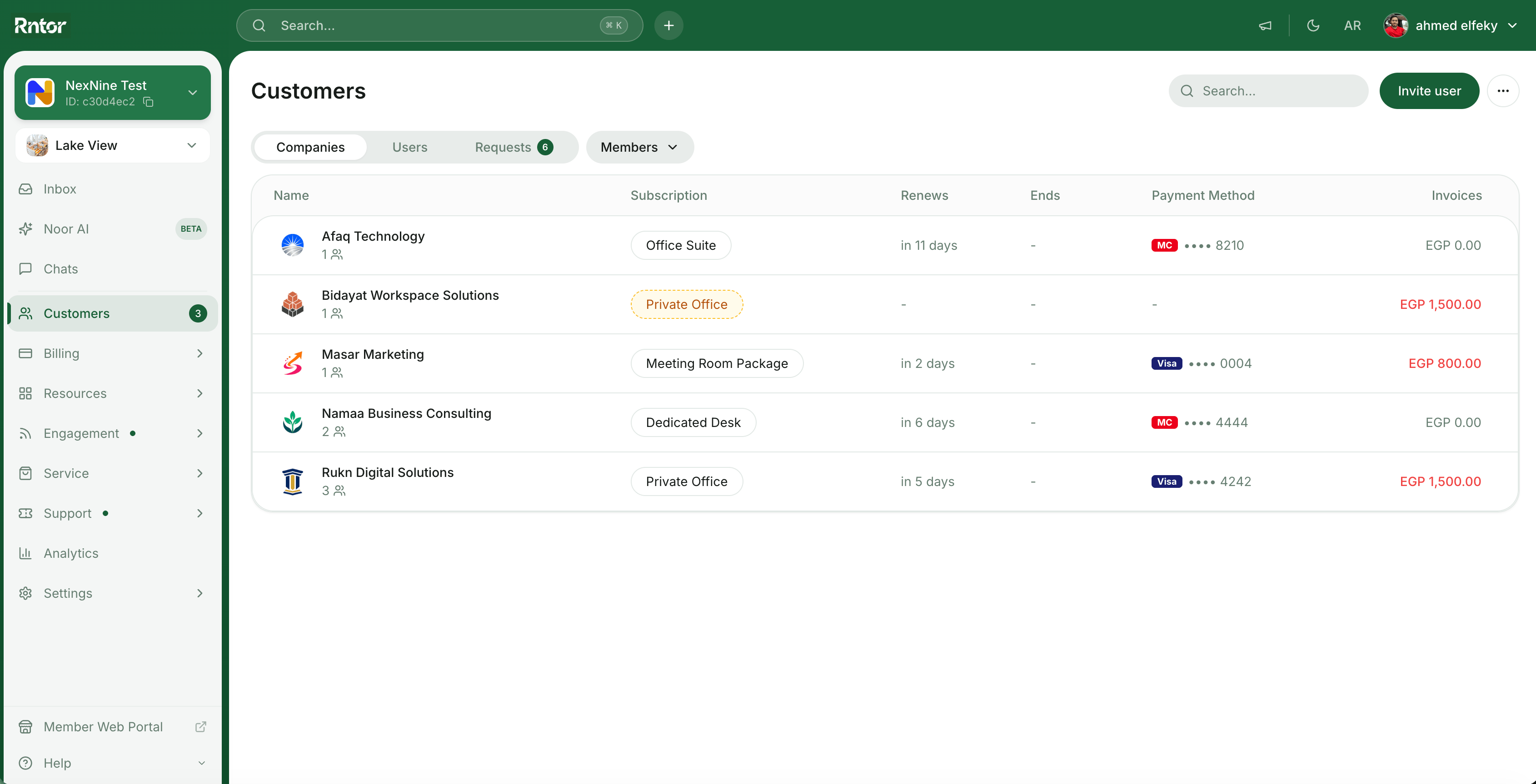
Your main control center is the left-side navigation panel. Here is a quick breakdown of where to find exactly what you need.
ModuleWhat you will do here
LocationsSwitch between locations if your network has multiple spaces.
CustomersYour customer directory. View and manage companies, members, and nonmembers with their info neatly organized by profiles.
BillingYour financial hub. Create and manage contracts, subscriptions, invoices, and transactions. Set up your membership plans, packages, and discounts.
ResourcesYour space inventory. Add all rooms, desks, private offices, parking lots, and equipment, and manage their bookings or rentals.
EngagementYour community builder. Curate the community feed and events.
ServiceYour extra offerings. Run a shop for additional products and services, maintain a benefits catalog with member perks, and track members’ visitors.
SupportYour help desk. Handle customer feedback and requests, and build out your member guides.
AnalyticsReports and insights into your space performance.
SettingsConfigure your network, locations, and admin preferences.
Noor AIRntor’s AI assistant (beta) to help automate tasks and surface insights.
Instantly jump to any page or trigger actions (like “invite user” or “create company”) using the command palette.
  • Windows: Press Ctrl + K
  • macOS: Press ⌘ + K

Admin mobile app

The Rntor admin mobile app helps you stay on top of your space while away from your desk — approve requests, check bookings, and respond to members from anywhere.

FAQs

Here’s how to get started with Rntor as a new administrator:
  1. Log in to app.rntor.com using your administrator email address.
  2. Check out our Overview guide to understand the functionality and navigation in the Rntor admin portal.
  3. Browse the rest of the Admin experience section for detailed setup of each module.
Additional resources:
  • Browse our Docs for detailed explanation and setup of any functionality.
  • Contact support@rntor.com for help from our team.
  • Unable to see admin features? Double-check that you are signed in to the admin portal and not the member portal.
  • Lost access? Regain your admin role by clicking on the settings > Merchant wide settings > Locations > Become administrator button next to the needed location. Then, go to Customers > open your profile > check the “Activities” section to identify who removed your admin role.