> ## Documentation Index
> Fetch the complete documentation index at: https://docs.rntor.com/docs/llms.txt
> Use this file to discover all available pages before exploring further.
# Support
> Understand how users search guides, submit support tickets, and track ticket status and updates
The **Support** page is designed to help users get answers to their questions, report issues, or share feedback. Users can search for answers in the guides or create a support ticket on this page.
To let users use the **Support** page, make sure to complete [the prerequisites](/docs/admin/support/tickets).
## Search guides
If there are [guides](/docs/admin/support/guides) created in the location and users are eligible to see them according to the guides' [**Visibility** settings](/docs/admin/location/visibility), users can see the **Guides** section at the top of the **Support** page.
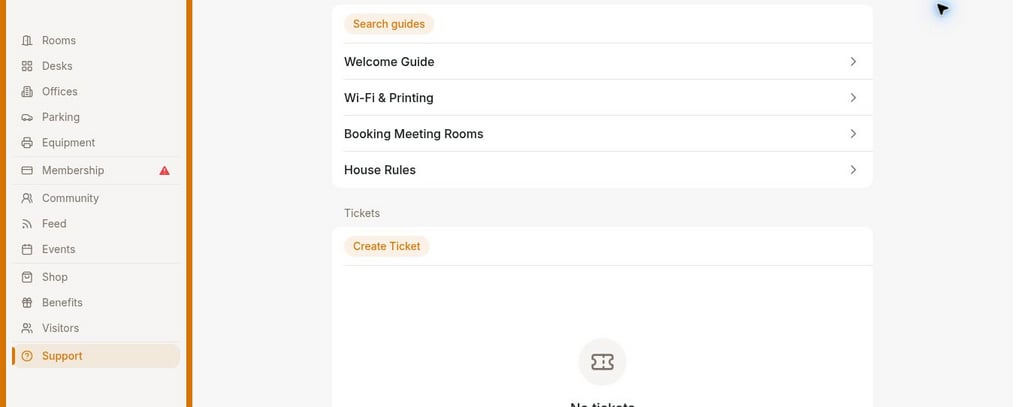 This section displays the preview of the 4 most popular guides and includes a **Search guides** field where users can find an answer by typing keywords related to their question.
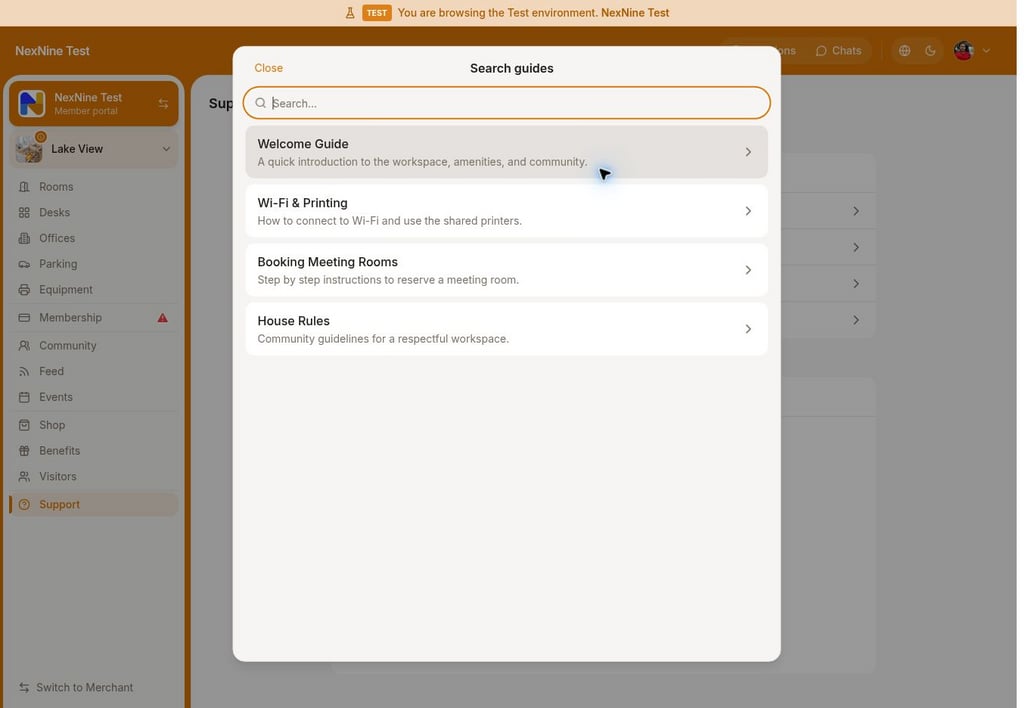 This allows users to quickly resolve their questions without needing to contact administrators.
## Create support ticket
The **Tickets** section on the **Support** page includes the **Create ticket** button and a list of previously created support tickets by or for this user.
This allows users to quickly resolve their questions without needing to contact administrators.
## Create support ticket
The **Tickets** section on the **Support** page includes the **Create ticket** button and a list of previously created support tickets by or for this user.
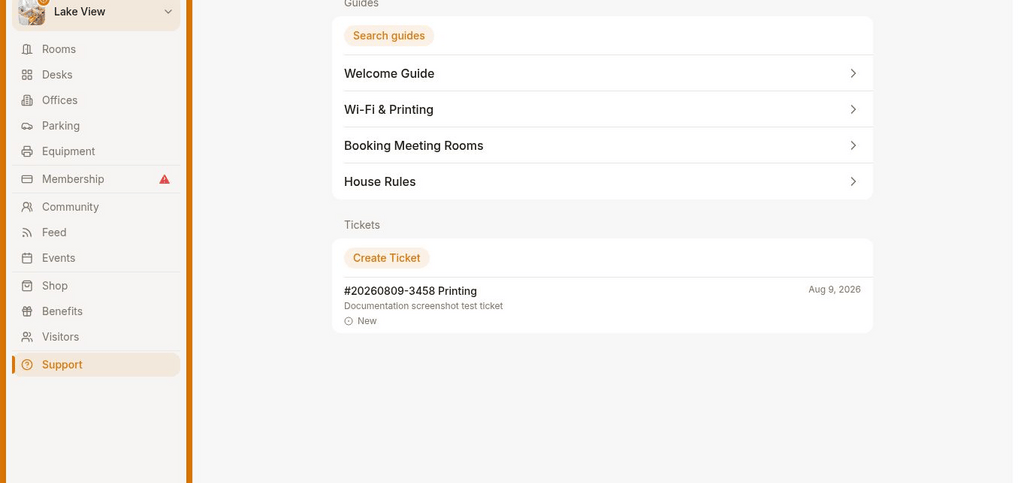 If users cannot find an answer to their question in the guides or they want to report a problem or provide feedback, they can create a support ticket.
1. To create a ticket, users tap **Create ticket** button and fill in the ticket details:
If users cannot find an answer to their question in the guides or they want to report a problem or provide feedback, they can create a support ticket.
1. To create a ticket, users tap **Create ticket** button and fill in the ticket details:
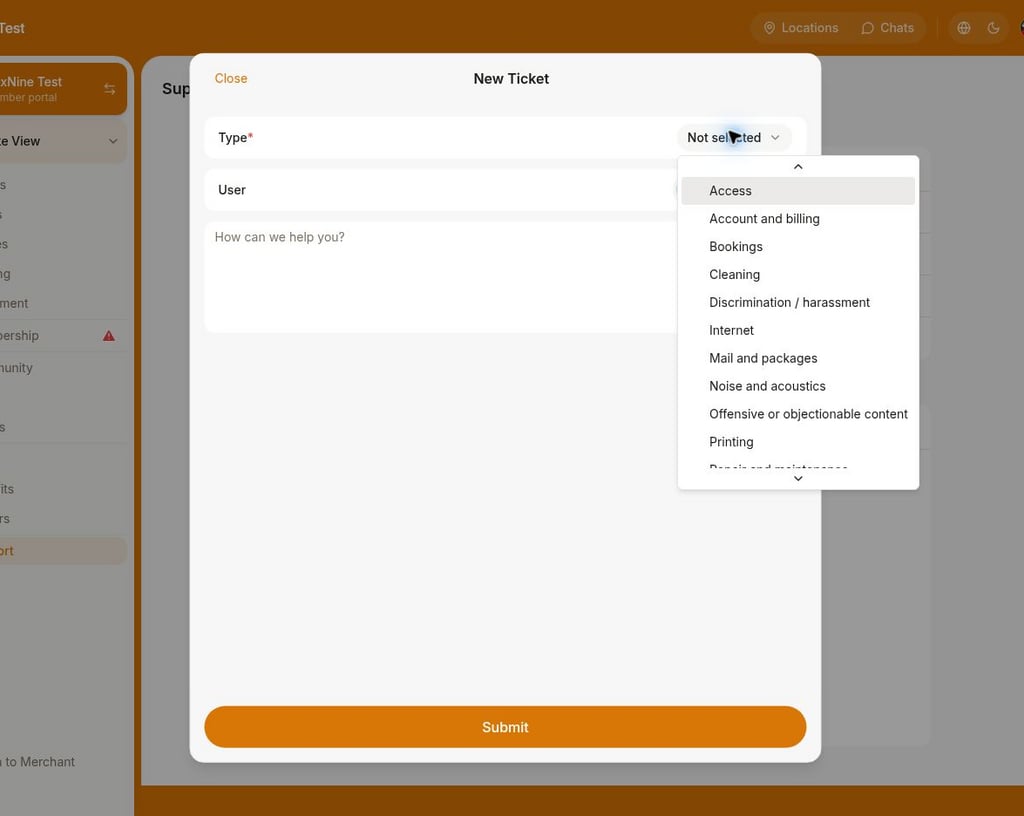 1. **Type** — indicates what the requester's question or issue is related to.
2. **User** — visible only to administrators and allows to select the user for whom they want to submit a ticket.
3. **Description** — any valuable details to describe the question or issue.
4. Press **Submit**.
5. After creating the support ticket, users can attach photos, videos, or files in the ticket comments if needed.
1. **Type** — indicates what the requester's question or issue is related to.
2. **User** — visible only to administrators and allows to select the user for whom they want to submit a ticket.
3. **Description** — any valuable details to describe the question or issue.
4. Press **Submit**.
5. After creating the support ticket, users can attach photos, videos, or files in the ticket comments if needed.
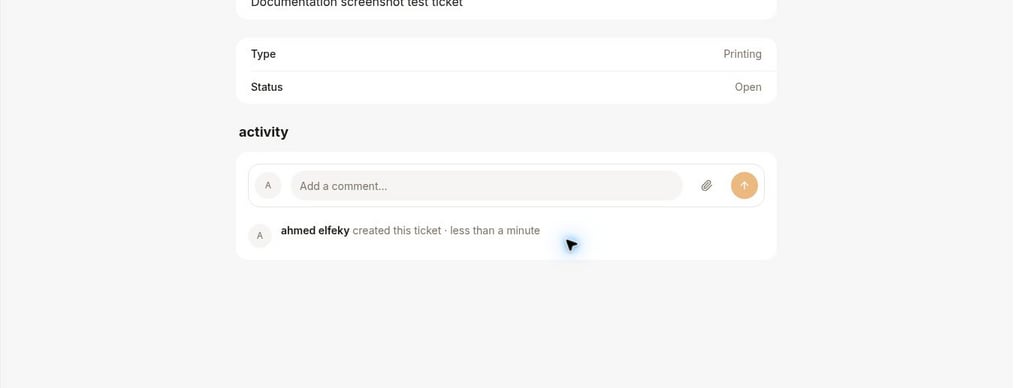 4. Administrators receive a notification about a new ticket and [manage it](/docs/admin/support/tickets). Users get [notifications](/docs/member/account/notifications) about the comments or updates to their ticket.