> ## Documentation Index
> Fetch the complete documentation index at: https://docs.rntor.com/docs/llms.txt
> Use this file to discover all available pages before exploring further.
# Claude
> Connect RNTOR to Claude and ask questions about your workspace operations.
Connect RNTOR to Claude and access your coworking and flexible workspace information directly from a conversation.
Once connected and authorized, Claude can look up members, subscriptions, invoices, bookings, and more without opening the RNTOR dashboard.
## Connect RNTOR in Claude
### 1. Open the RNTOR connector
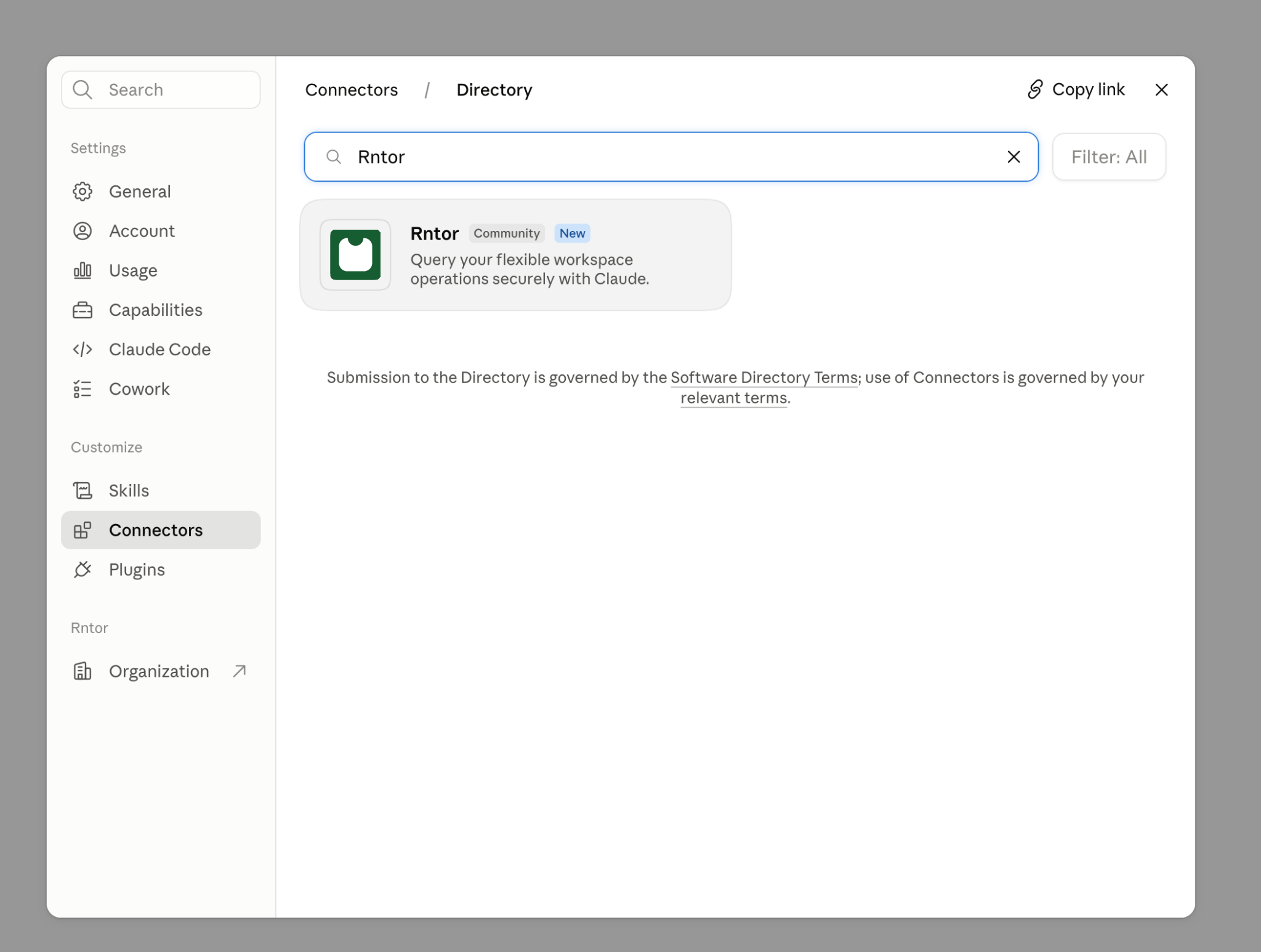
Open [RNTOR in the Claude connector directory](https://claude.ai/directory/rntor), or search for RNTOR under **Settings → Connectors**.
 ### 2. Connect RNTOR
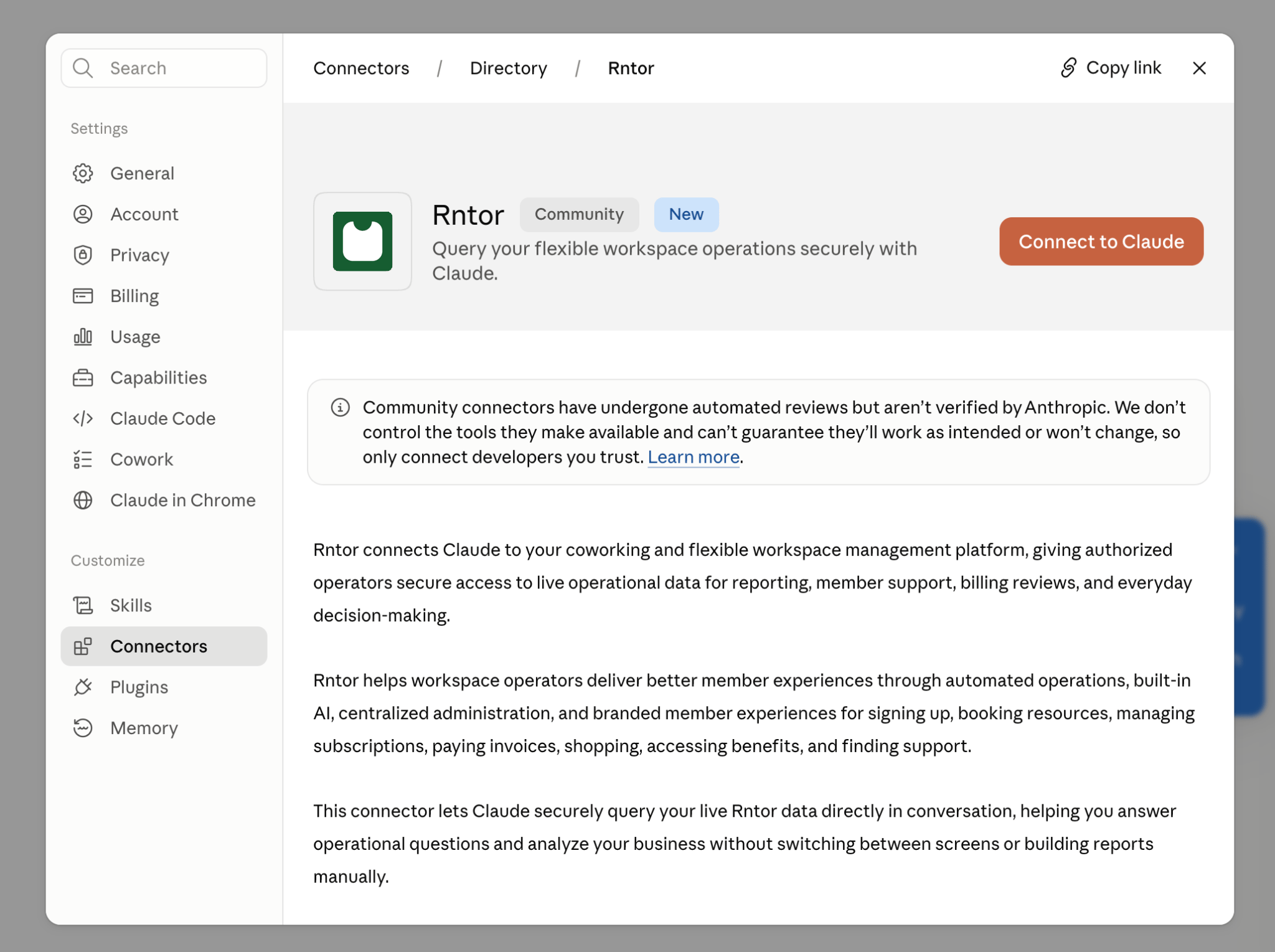
Select **Connect** or **Connect for your team**, depending on your Claude workspace.
### 2. Connect RNTOR
Select **Connect** or **Connect for your team**, depending on your Claude workspace.
 ### 3. Authorize your network
Sign in to RNTOR, choose the network you want Claude to access, and select **Allow**.
### 4. Start asking
Open a Claude conversation and ask for the RNTOR information you need.
### 3. Authorize your network
Sign in to RNTOR, choose the network you want Claude to access, and select **Allow**.
### 4. Start asking
Open a Claude conversation and ask for the RNTOR information you need.
 ## What you can ask Claude
Ask Claude about:
* **Network and locations**
* **Members and companies**
* **Plans and subscriptions**
* **Resources and bookings**
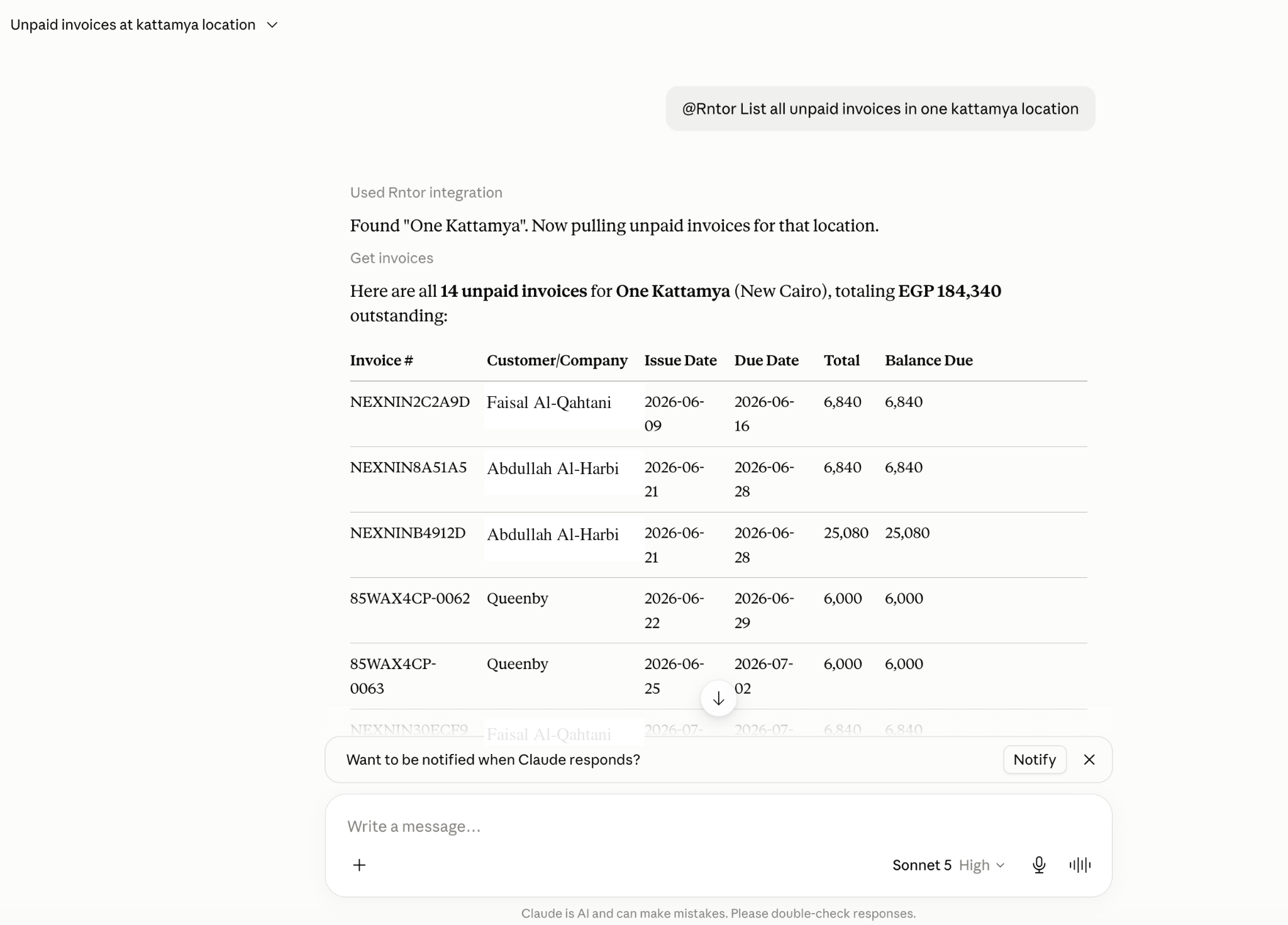
* **Invoices and contracts**
* **Shop products and orders**
* **Benefits and applications**
* **Guides**
See every available tool and example on the [RNTOR MCP overview](https://docs.rntor.com/docs/mcp-server#supported-tools).
Claude can also:
* Combine several categories in one request, such as a member's subscription, recent invoices, and bookings.
* Pass findings to other connectors, such as drafting reminder emails for overdue invoices.
## Disconnect RNTOR from Claude
1. Open **Settings → Connectors** in Claude.
2. Find RNTOR in your connected services.
3. Select **Disconnect**.
You can reconnect at any time.
## What you can ask Claude
Ask Claude about:
* **Network and locations**
* **Members and companies**
* **Plans and subscriptions**
* **Resources and bookings**
* **Invoices and contracts**
* **Shop products and orders**
* **Benefits and applications**
* **Guides**
See every available tool and example on the [RNTOR MCP overview](https://docs.rntor.com/docs/mcp-server#supported-tools).
Claude can also:
* Combine several categories in one request, such as a member's subscription, recent invoices, and bookings.
* Pass findings to other connectors, such as drafting reminder emails for overdue invoices.
## Disconnect RNTOR from Claude
1. Open **Settings → Connectors** in Claude.
2. Find RNTOR in your connected services.
3. Select **Disconnect**.
You can reconnect at any time.