> ## Documentation Index
> Fetch the complete documentation index at: https://docs.rntor.com/docs/llms.txt
> Use this file to discover all available pages before exploring further.

# المزايا

> اكتشف امتيازات الأعضاء ومزاياهم

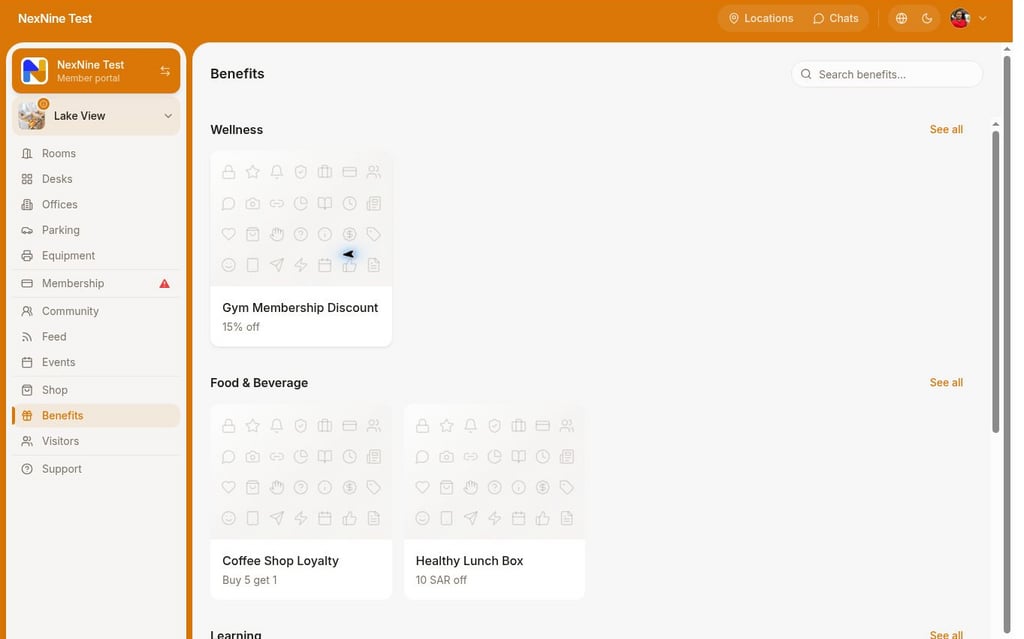
1. افتح **المواقع** > **المزايا**، واختر الميزة واضغط **تقديم طلب**.
<img src="https://mintcdn.com/rntor/YY7oIJjMZhe6trWp/images/member-benefits-1.png?fit=max&auto=format&n=YY7oIJjMZhe6trWp&q=85&s=83349917742b531ca19cb7af1886c986" alt="اختيار الميزة" width="1024" height="639" data-path="images/member-benefits-1.png" />

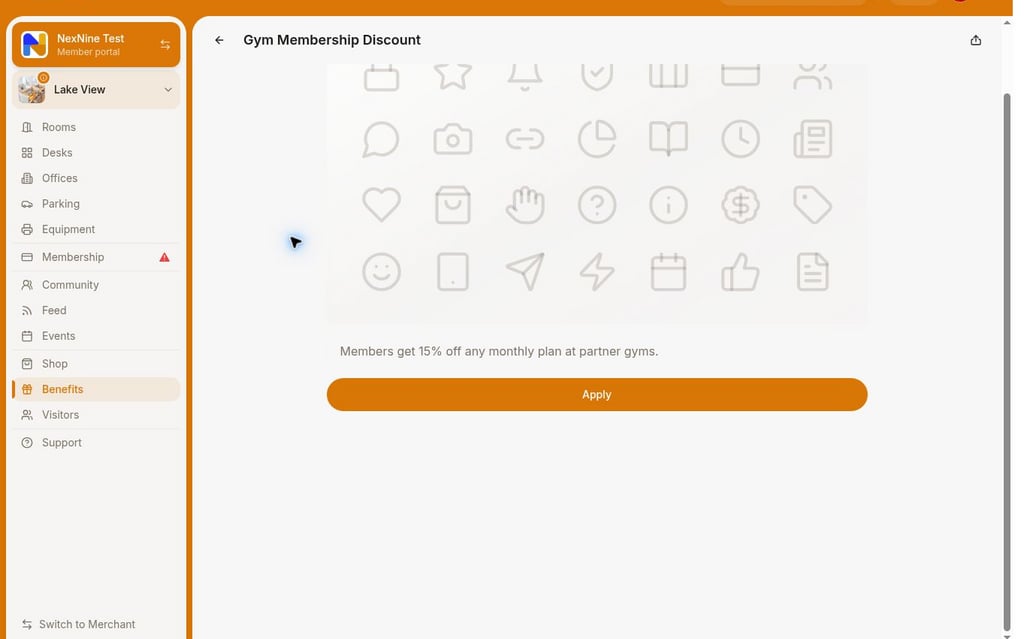
2. اكتب تفاصيل أو أسئلة إضافية عند الحاجة، واضغط **إرسال**.
<img src="https://mintcdn.com/rntor/YY7oIJjMZhe6trWp/images/member-benefits-2.png?fit=max&auto=format&n=YY7oIJjMZhe6trWp&q=85&s=083c0b3a0635099002a750a15de1011f" alt="إرسال الطلب" width="1024" height="639" data-path="images/member-benefits-2.png" />

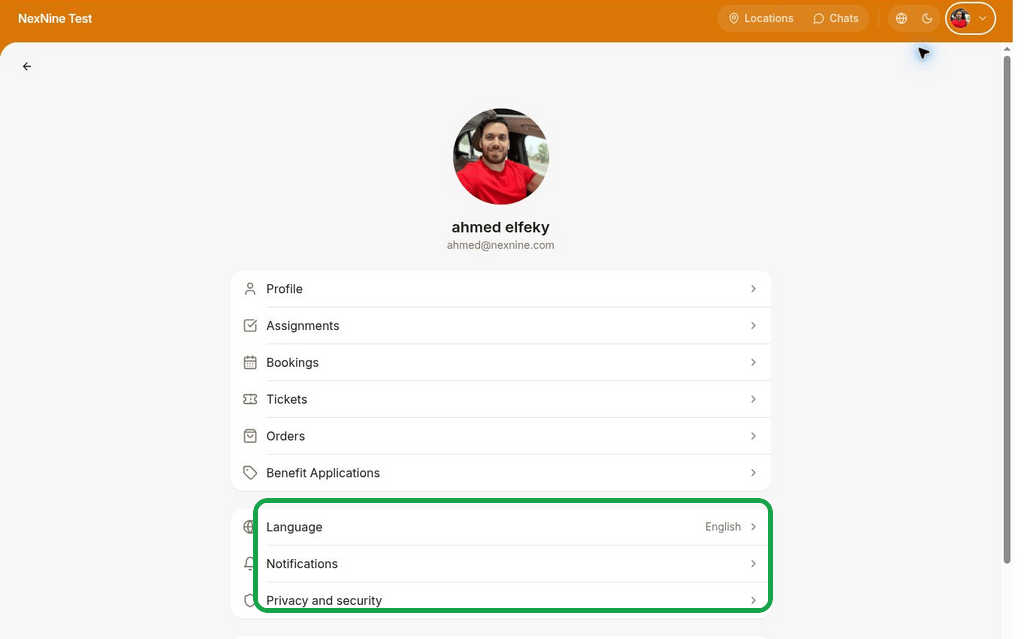
تظهر الطلبات في **الحساب** > **طلبات المزايا**.
<img src="https://mintcdn.com/rntor/YY7oIJjMZhe6trWp/images/member-benefits-3.png?fit=max&auto=format&n=YY7oIJjMZhe6trWp&q=85&s=84853a7d8bd3f61b7a16d040ea88f664" alt="طلبات المزايا" width="1024" height="639" data-path="images/member-benefits-3.png" />

<Accordion title="كيف تُرتب المزايا؟">
  تُرتب مزايا كل فئة من الأحدث تحديثًا إلى الأقدم.
</Accordion>
