> ## Documentation Index
> Fetch the complete documentation index at: https://docs.rntor.com/docs/llms.txt
> Use this file to discover all available pages before exploring further.
# Ask Noor AI
> Ask Noor AI to instantly search and pull the data you need
Instead of navigating through multiple menus or manually filtering lists, ask Noor AI to find information, summarize data, or pull specific reports for you.
## Start a chat with Noor AI
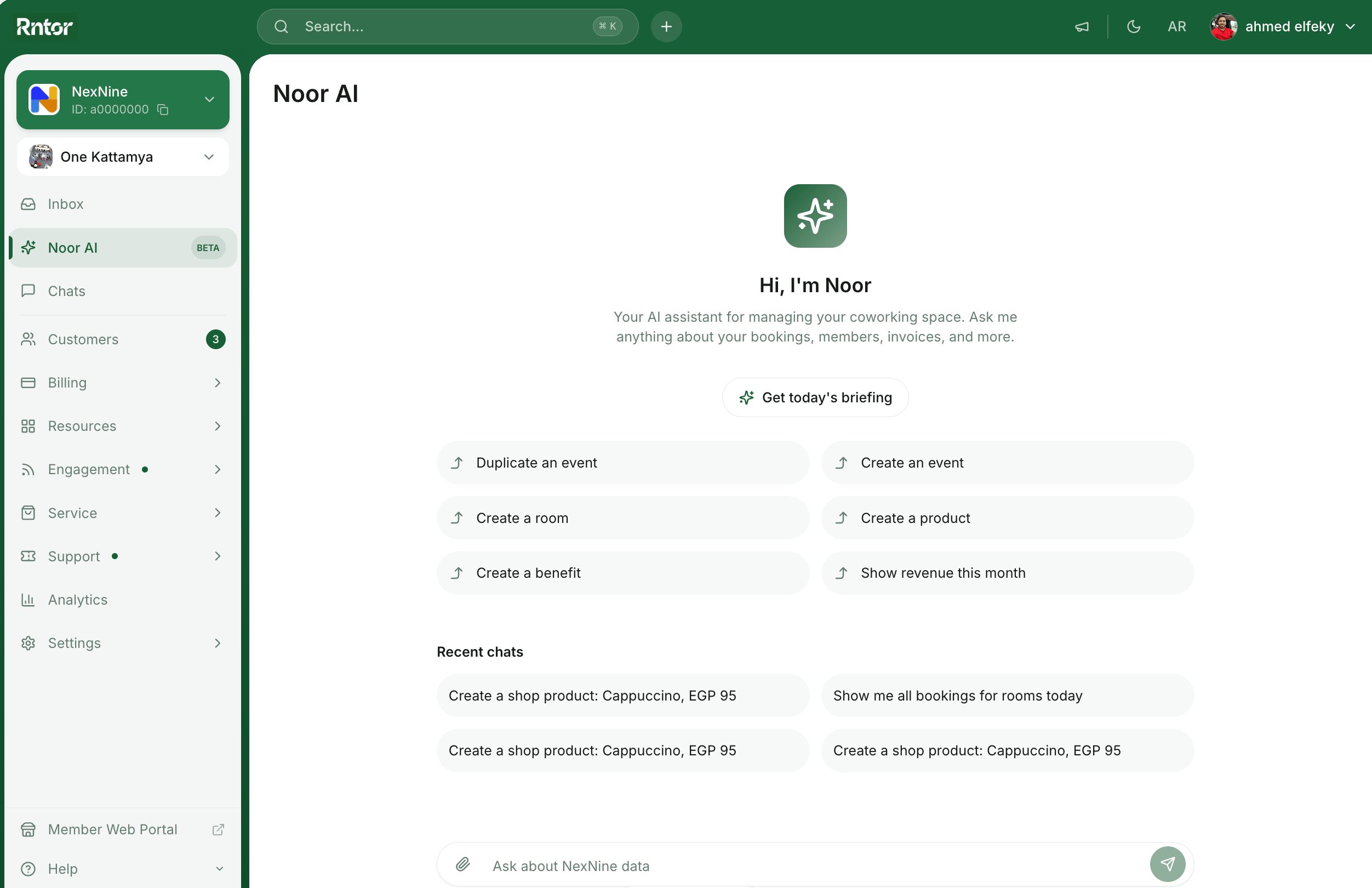
You can start a conversation with Noor AI directly from your admin dashboard:
1. Click the Noor AI icon in the top left corner.
2. Type your question or command into the message field or choose one of the suggested prompts.
3. Noor AI will process your request and provide the data, lists, or summaries you need right in the chat for you to review.
Noor AI can make mistakes. Ensure to double-check the information provided.
 Noor AI will generate all data and responses in the language of your message.
## What Noor AI can help with
Noor AI is connected to your entire workspace ecosystem. To get the best results, be specific with location names, date ranges, and formats.
### Bookings & resources
Check rooms, desks, or equipment availability without opening the calendar.
### Members, companies & contracts
Quickly pull up customer profiles or check the status of subscriptions and contracts.
### Invoices, payments & subscriptions
Track revenue and payments by asking for financial summaries or specific transaction details.
### Events & community
Monitor event attendance and community feed activity, or [ask Noor AI to write a feed post](/docs/admin/noor-ai/promote-products-events-and-benefits) for you.
### Support & visitor management
Track support tickets and visitor logs.
### Data formats & capabilities
Depending on your request, Noor AI can provide data in several helpful formats:
* Summaries — get a high-level overview of complex data. For example:
* Structured lists and tables — Noor AI organizes data into easy-to-read lists and tables within the chat.
* Pie and bar charts — Noor AI creates different charts based on the retrieved data. For example:
## Tips for chatting with Noor AI
* Be specific. Instead of “show me bookings,” try “show me all bookings for ‘Meeting Room A’ between Oct 1 and Oct 5.”
* Refine your search. You can follow up on Noor AI’s answers. If Noor AI gives you a list of invoices, you can say, “Now only show me the ones issued on March 5th.”
Noor AI will generate all data and responses in the language of your message.
## What Noor AI can help with
Noor AI is connected to your entire workspace ecosystem. To get the best results, be specific with location names, date ranges, and formats.
### Bookings & resources
Check rooms, desks, or equipment availability without opening the calendar.
### Members, companies & contracts
Quickly pull up customer profiles or check the status of subscriptions and contracts.
### Invoices, payments & subscriptions
Track revenue and payments by asking for financial summaries or specific transaction details.
### Events & community
Monitor event attendance and community feed activity, or [ask Noor AI to write a feed post](/docs/admin/noor-ai/promote-products-events-and-benefits) for you.
### Support & visitor management
Track support tickets and visitor logs.
### Data formats & capabilities
Depending on your request, Noor AI can provide data in several helpful formats:
* Summaries — get a high-level overview of complex data. For example:
* Structured lists and tables — Noor AI organizes data into easy-to-read lists and tables within the chat.
* Pie and bar charts — Noor AI creates different charts based on the retrieved data. For example:
## Tips for chatting with Noor AI
* Be specific. Instead of “show me bookings,” try “show me all bookings for ‘Meeting Room A’ between Oct 1 and Oct 5.”
* Refine your search. You can follow up on Noor AI’s answers. If Noor AI gives you a list of invoices, you can say, “Now only show me the ones issued on March 5th.”