> ## Documentation Index
> Fetch the complete documentation index at: https://docs.rntor.com/docs/llms.txt
> Use this file to discover all available pages before exploring further.
# Delete a company
## Delete a member company
If you want to remove a company from the **Customers** page because it no longer rents a space or its contract has ended, follow these steps:
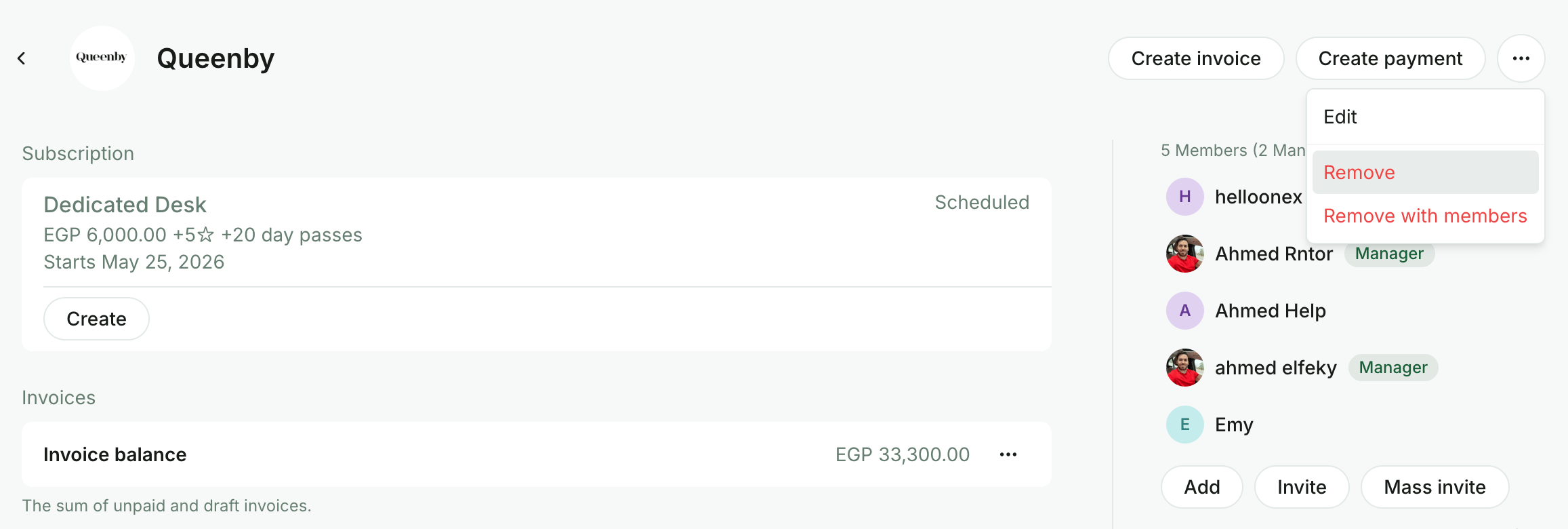
1. Go to **Customers** → click the necessary company → press the menu (**…**) top right.
2. Choose one of the following options:
* Press `Remove` if you want to move the company itself to **Nonmembers**, but keep its members on the **Customers** page under the **Users** tab.
* Press `Remove with members` if you want to move the company together with all of its members to **Nonmembers**.
 3. Confirm your choice.
### What happens when you remove a company from the Customers
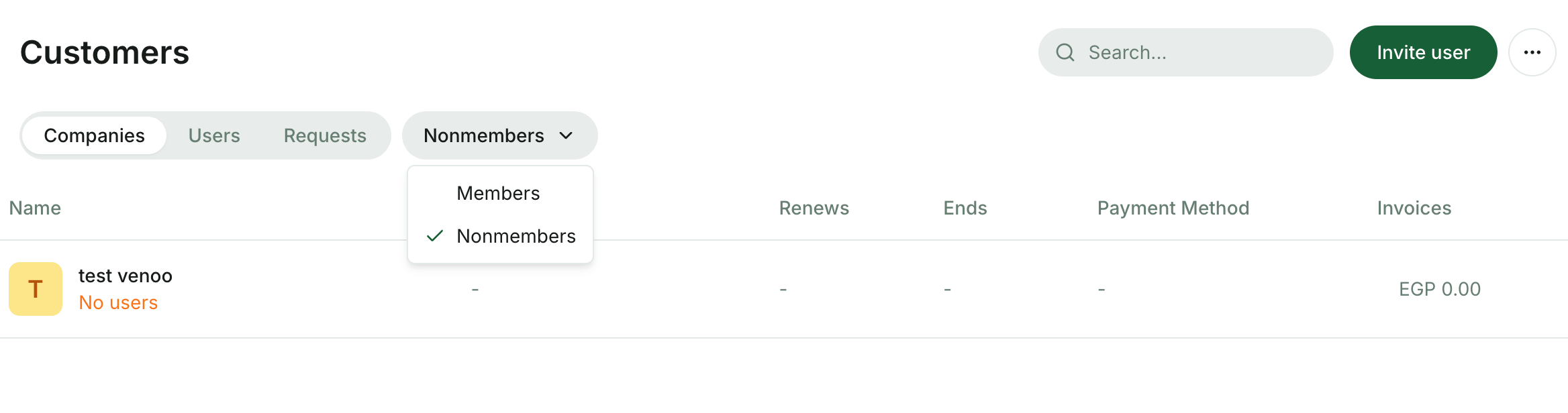
* The company becomes a nonmember and appears for administrators on the **Customers** → **Nonmembers** page.
3. Confirm your choice.
### What happens when you remove a company from the Customers
* The company becomes a nonmember and appears for administrators on the **Customers** → **Nonmembers** page.
 * The company's active subscription is automatically deactivated.
* The company's [default payment method](/docs/admin/billing/payments/payment-gateway) remains attached for further charges if needed.
* The history of the company's credits, payments and invoices is preserved.
* The company disassociates from company members. Nonmember companies do not contain users.
* Administrators can [restore the company](/docs/admin/customer-management/users/remove-users#reinvite-a-user) at any time.
## Delete a nonmember company
If you want to remove companies that are no longer needed, or clear your database, administrators can permanently delete a nonmember company from the location by following these steps:
1. Go to **Customers** page.
2. Select the **Nonmembers** option in the drop-down list.
3. Click the necessary company to open its profile.
4. Press the menu (**…**) top right → select `Delete` → confirm your choice.
* The company's active subscription is automatically deactivated.
* The company's [default payment method](/docs/admin/billing/payments/payment-gateway) remains attached for further charges if needed.
* The history of the company's credits, payments and invoices is preserved.
* The company disassociates from company members. Nonmember companies do not contain users.
* Administrators can [restore the company](/docs/admin/customer-management/users/remove-users#reinvite-a-user) at any time.
## Delete a nonmember company
If you want to remove companies that are no longer needed, or clear your database, administrators can permanently delete a nonmember company from the location by following these steps:
1. Go to **Customers** page.
2. Select the **Nonmembers** option in the drop-down list.
3. Click the necessary company to open its profile.
4. Press the menu (**…**) top right → select `Delete` → confirm your choice.
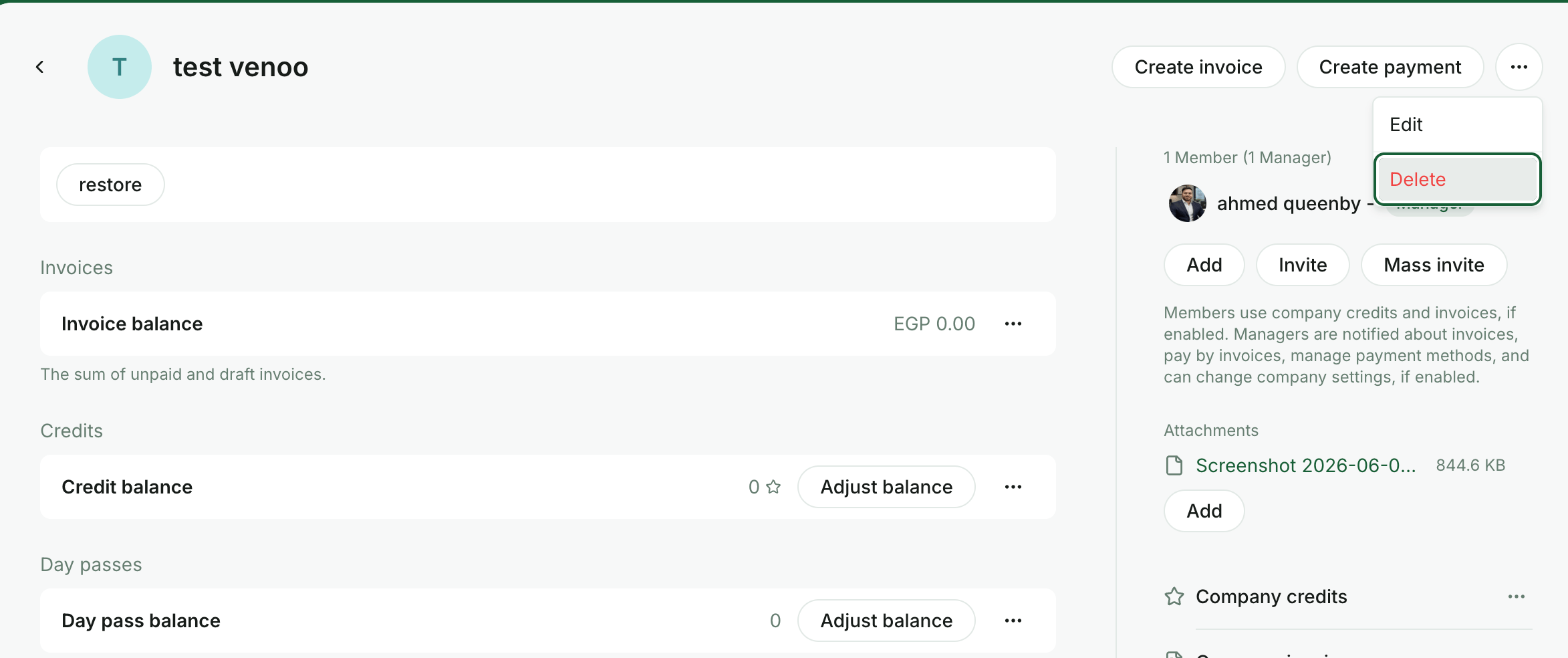 Deleting a company from **Nonmembers** is irreversible and permanently removes it from the list. Administrators will no longer be able to access its past data or [restore the company](/docs/admin/customer-management/users/remove-users#reinvite-a-user) to the **Customers**.
## Restore a company
To move a company that appears on the nonmembers list back to the **Customers** page, follow these steps:
1. Go to **Customers** → menu (**…**) top right → **Nonmembers** tab.
2. Select a company and tap `Restore`.
Deleting a company from **Nonmembers** is irreversible and permanently removes it from the list. Administrators will no longer be able to access its past data or [restore the company](/docs/admin/customer-management/users/remove-users#reinvite-a-user) to the **Customers**.
## Restore a company
To move a company that appears on the nonmembers list back to the **Customers** page, follow these steps:
1. Go to **Customers** → menu (**…**) top right → **Nonmembers** tab.
2. Select a company and tap `Restore`.
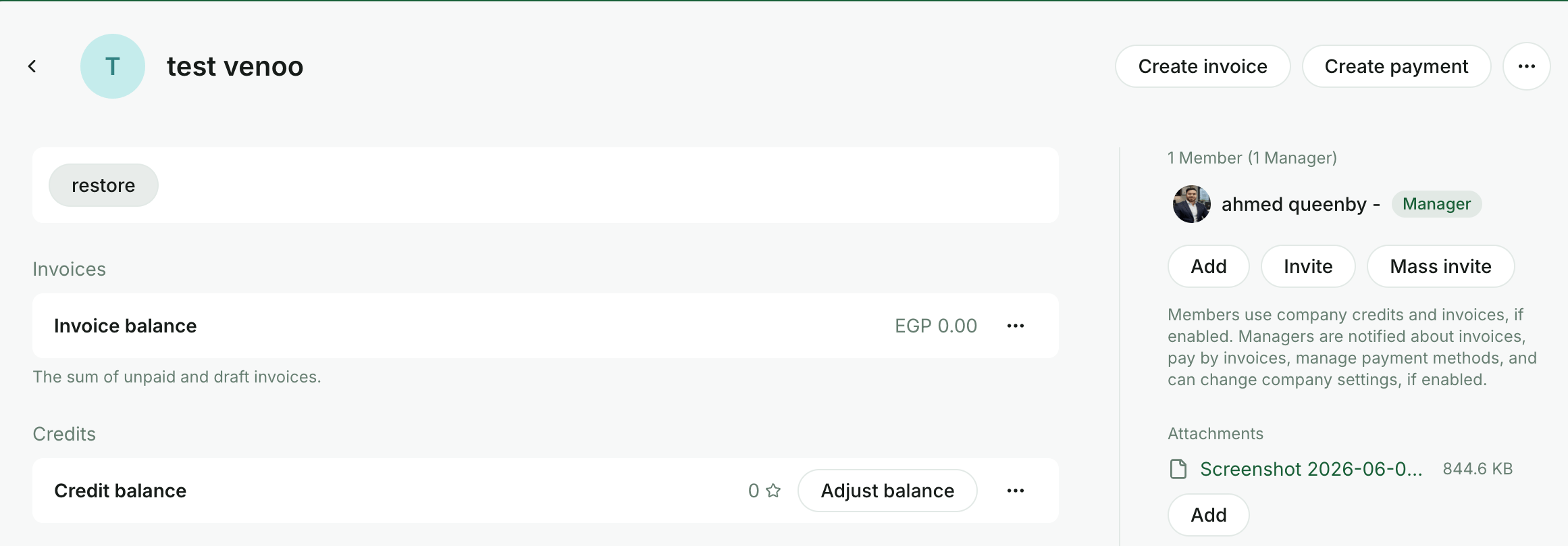 Once restored, the company will reappear on the **Customers** → **Companies** tab. Administrators can add company members, create a subscription, and manage other company properties.
The company is restored to the **Customers** without the company users who belonged to the company earlier.
Once restored, the company will reappear on the **Customers** → **Companies** tab. Administrators can add company members, create a subscription, and manage other company properties.
The company is restored to the **Customers** without the company users who belonged to the company earlier.