> ## Documentation Index
> Fetch the complete documentation index at: https://docs.rntor.com/docs/llms.txt
> Use this file to discover all available pages before exploring further.
# Set up plans
Create and manage membership plans for long-term or recurring access without a dedicated resource rental
Plans are membership options or packages of services that customers can subscribe to, usually on a long-term or recurring basis. Common examples in coworking spaces include Hot desk unlimited, Hot desk (10 days), or Flex membership.
With plans, you can:
* Structure and present your membership options to customers
* Let customers sign up instantly or submit applications
* Quickly set up new customers for subscriptions, using plans as templates.
## Set up plans
1. Go to **Billing** > **Plans**.
2. Click `Create plan`.
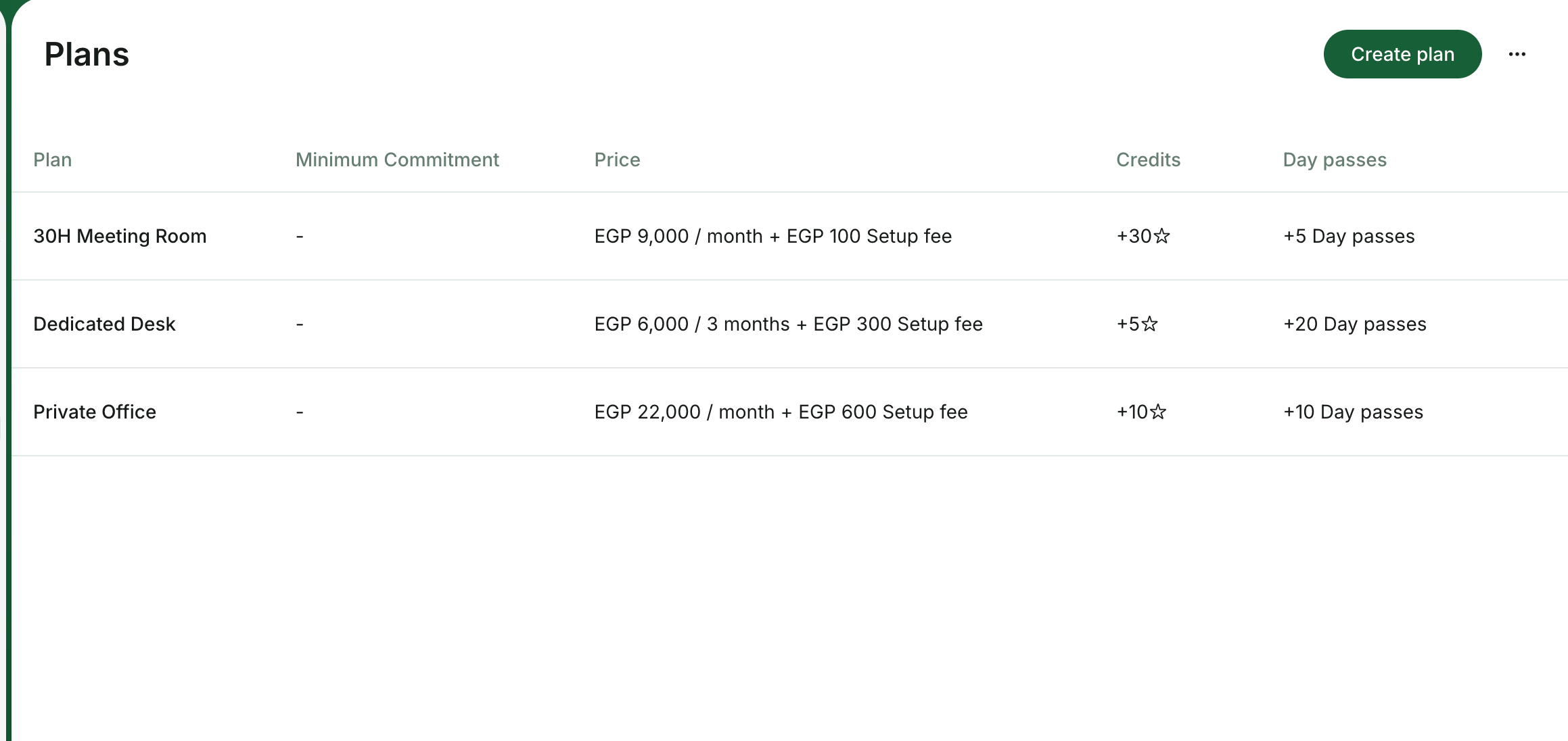 ### Plan configuration
* **Name** — appears on customer invoices.
* **Cycle** — the interval of plan validity and how often the subscription renews. Available options: 1 week, 1 month, 3 months, 6 months, or 1 year.
* **Description** — customer-facing details of what is included.
* **Price** — the fee for 1 cycle.
* **Setup fee** — one-time charge to add to the customer’s first invoice.
The setup fee is taxable but is not affected by discounts or invoice proration.
* [**Custom tax rate**](/docs/admin/billing/taxes/custom-tax-rates) — overrides the location’s default tax rate for this plan.
* **Minimum commitment** — the mandatory minimum number of cycles a customer can subscribe for.
* [**Credits**](/docs/admin/billing/credits-and-day-passes/credits) — expiring credits the customer will receive each cycle for bookings or purchases.
* [**Day passes**](/docs/admin/billing/credits-and-day-passes/day-passes) — expiring day passes the customer will receive each cycle for booking hot desks.
* [**Discounts**](/docs/admin/billing/discounts/apply-discounts-to-bookings-and-purchases) — offer discounts on certain services to members subscribed to this plan.
* **Sign-up** — control whether and how customers can see and sign up for this plan.
### Sign-up setting
| Setting | Outcome |
| ------------------------------ | ------------------------------------------------------------------------------------------------------------------------------------------------------------------------------------------------------------------------------------------------------------------------ |
| Enable with **Immediate** type | Customers can see this plan and [sign up immediately](/docs/admin/billing/plans/immediate-plan-sign-ups#how-users-sign-up-for-plans) without admin involvement. |
| Enable with **Request** type | Customers can see this plan and [submit a request](/docs/admin/billing/plans/applications-for-plans#how-users-apply-for-a-plan) to sign up. Administrators process requests as support tickets. Useful if you don’t allow new customers to become your members independently. |
| Disable **Sign-up** | The plan should remain visible only for administrators for [creating subscriptions](/docs/admin/billing/subscriptions/set-up-subscriptions). |
* [**Access**](/docs/admin/integrations/access-control) — access control group. Appears if you have the [integration with the access control system](/docs/admin/integrations/access-control).
* [**Printing**](/docs/admin/integrations/printing/ezeep-blue) — printing access group.
* **Exclusive access** — customers on this plan have exclusive access to see or book resources.
3. Tap `Save`.
Plans are designed for access without a dedicated resource. Dedicated desks, offices, or other rentals — whether long-term, recurring, or hourly or daily access — are configured in [Resources](/docs/admin/resource-management/resources/set-up-pricing).
## What’s next
After creating your plans:
* Customers can explore available plans and [sign up](/docs/admin/billing/plans/immediate-plan-sign-ups) or [submit requests](/docs/admin/billing/plans/applications-for-plans), depending on your settings.
### Plan configuration
* **Name** — appears on customer invoices.
* **Cycle** — the interval of plan validity and how often the subscription renews. Available options: 1 week, 1 month, 3 months, 6 months, or 1 year.
* **Description** — customer-facing details of what is included.
* **Price** — the fee for 1 cycle.
* **Setup fee** — one-time charge to add to the customer’s first invoice.
The setup fee is taxable but is not affected by discounts or invoice proration.
* [**Custom tax rate**](/docs/admin/billing/taxes/custom-tax-rates) — overrides the location’s default tax rate for this plan.
* **Minimum commitment** — the mandatory minimum number of cycles a customer can subscribe for.
* [**Credits**](/docs/admin/billing/credits-and-day-passes/credits) — expiring credits the customer will receive each cycle for bookings or purchases.
* [**Day passes**](/docs/admin/billing/credits-and-day-passes/day-passes) — expiring day passes the customer will receive each cycle for booking hot desks.
* [**Discounts**](/docs/admin/billing/discounts/apply-discounts-to-bookings-and-purchases) — offer discounts on certain services to members subscribed to this plan.
* **Sign-up** — control whether and how customers can see and sign up for this plan.
### Sign-up setting
| Setting | Outcome |
| ------------------------------ | ------------------------------------------------------------------------------------------------------------------------------------------------------------------------------------------------------------------------------------------------------------------------ |
| Enable with **Immediate** type | Customers can see this plan and [sign up immediately](/docs/admin/billing/plans/immediate-plan-sign-ups#how-users-sign-up-for-plans) without admin involvement. |
| Enable with **Request** type | Customers can see this plan and [submit a request](/docs/admin/billing/plans/applications-for-plans#how-users-apply-for-a-plan) to sign up. Administrators process requests as support tickets. Useful if you don’t allow new customers to become your members independently. |
| Disable **Sign-up** | The plan should remain visible only for administrators for [creating subscriptions](/docs/admin/billing/subscriptions/set-up-subscriptions). |
* [**Access**](/docs/admin/integrations/access-control) — access control group. Appears if you have the [integration with the access control system](/docs/admin/integrations/access-control).
* [**Printing**](/docs/admin/integrations/printing/ezeep-blue) — printing access group.
* **Exclusive access** — customers on this plan have exclusive access to see or book resources.
3. Tap `Save`.
Plans are designed for access without a dedicated resource. Dedicated desks, offices, or other rentals — whether long-term, recurring, or hourly or daily access — are configured in [Resources](/docs/admin/resource-management/resources/set-up-pricing).
## What’s next
After creating your plans:
* Customers can explore available plans and [sign up](/docs/admin/billing/plans/immediate-plan-sign-ups) or [submit requests](/docs/admin/billing/plans/applications-for-plans), depending on your settings.
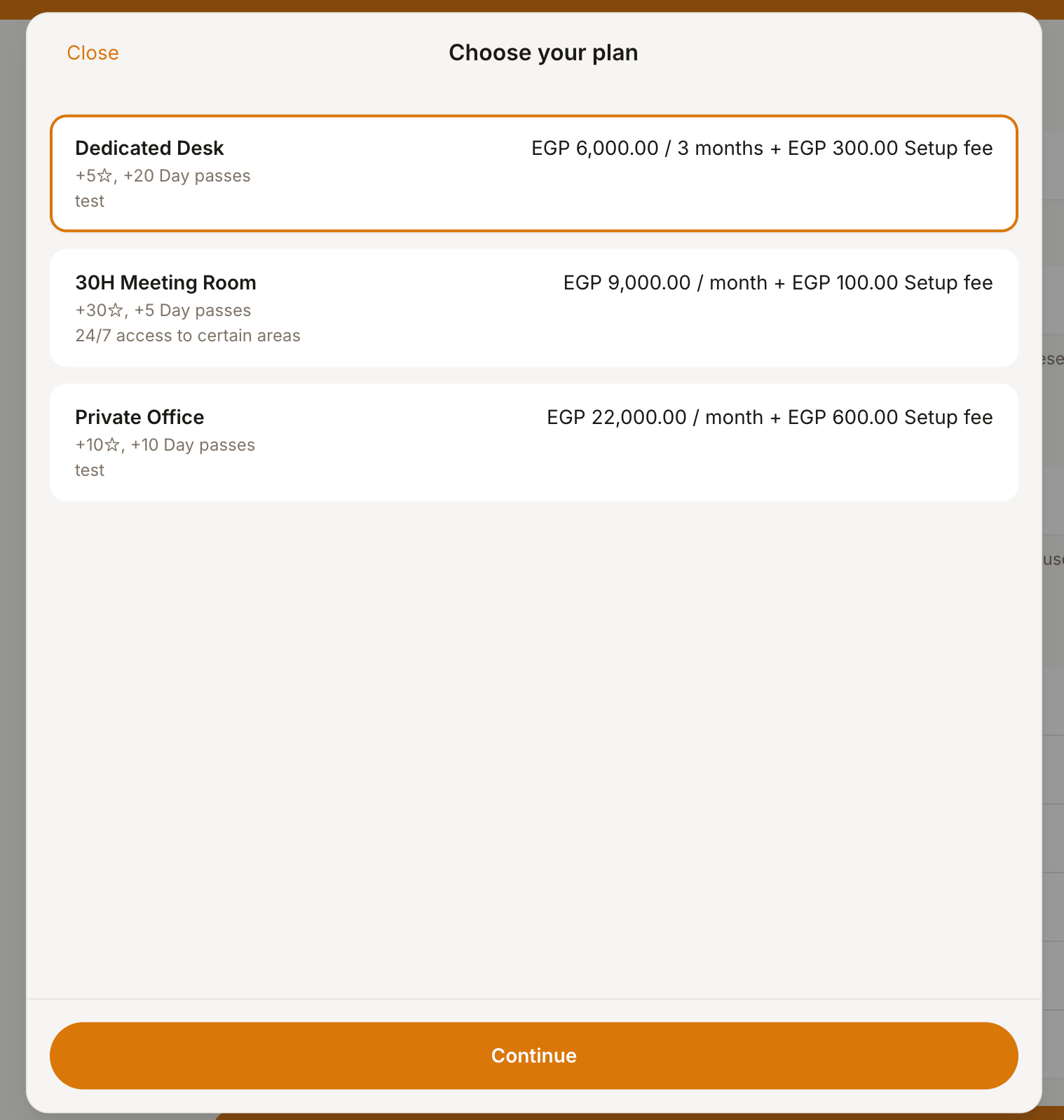 * Administrators can quickly [set up new members for subscriptions](/docs/admin/billing/subscriptions/set-up-subscriptions), using plans as ready-made templates with predefined pricing, benefits, and access.
## Edit or delete a plan
1. Go to **Billing** > **Plans**.
2. Press the menu button `...` next to the preliminary [created plan](/docs/admin/billing/plans/set-up-plans) and tap `Edit` or `Delete`.
* Administrators can quickly [set up new members for subscriptions](/docs/admin/billing/subscriptions/set-up-subscriptions), using plans as ready-made templates with predefined pricing, benefits, and access.
## Edit or delete a plan
1. Go to **Billing** > **Plans**.
2. Press the menu button `...` next to the preliminary [created plan](/docs/admin/billing/plans/set-up-plans) and tap `Edit` or `Delete`.
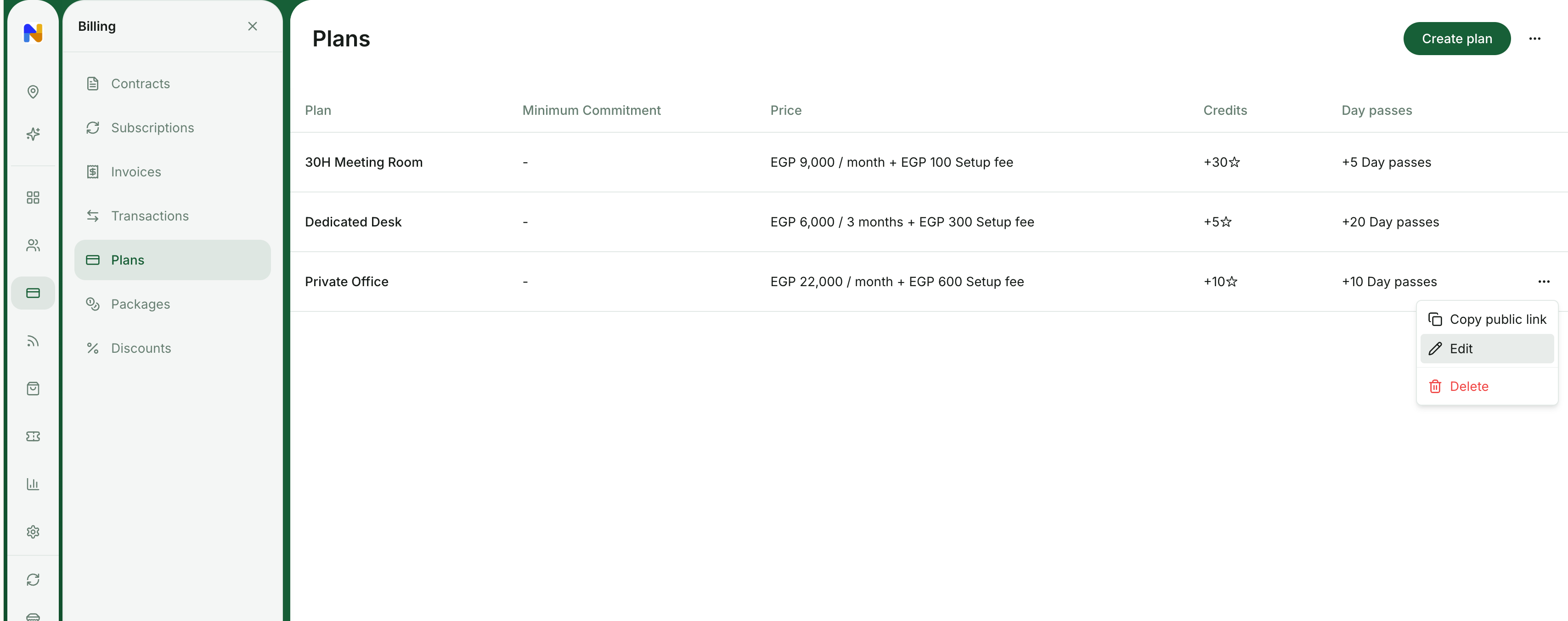 Deleting a plan does not affect active subscriptions. If your members still have this plan selected in their subscription, it will continue to function for them.
Deleting a plan is irreversible and cannot be undone. Instead of completely deleting a plan, you can [disable the **Sign-up** property](/docs/admin/billing/plans/set-up-plans) to make it impossible for users to purchase the plan by themselves. Meanwhile, administrators will still be able to choose this plan for creating subscriptions manually.
## FAQs
Start [creating the subscription](/docs/admin/billing/subscriptions/set-up-subscriptions) for your customer, keep **Custom** in the **Product** field, and manually type the plan name, price, and other allowances.
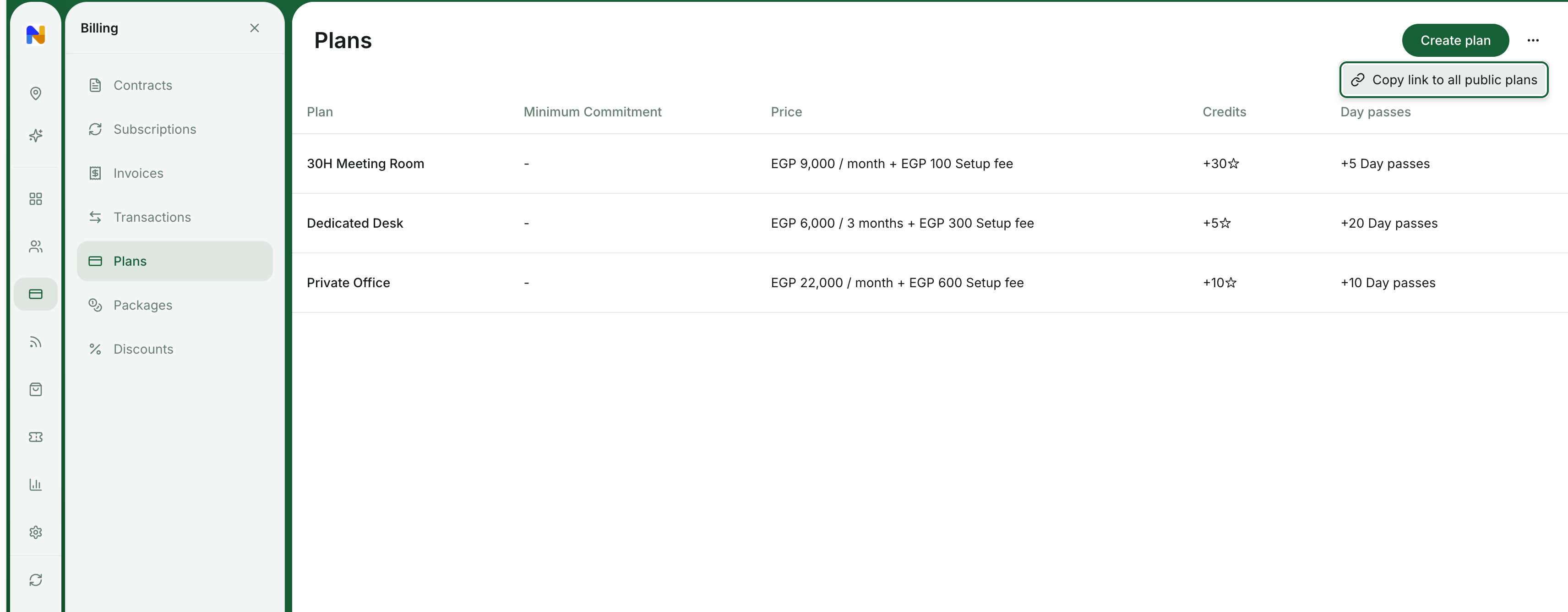
Go to **Billing** > **Plans** > press the menu `...` top right > **Copy link to all public plans**.
Deleting a plan does not affect active subscriptions. If your members still have this plan selected in their subscription, it will continue to function for them.
Deleting a plan is irreversible and cannot be undone. Instead of completely deleting a plan, you can [disable the **Sign-up** property](/docs/admin/billing/plans/set-up-plans) to make it impossible for users to purchase the plan by themselves. Meanwhile, administrators will still be able to choose this plan for creating subscriptions manually.
## FAQs
Start [creating the subscription](/docs/admin/billing/subscriptions/set-up-subscriptions) for your customer, keep **Custom** in the **Product** field, and manually type the plan name, price, and other allowances.
Go to **Billing** > **Plans** > press the menu `...` top right > **Copy link to all public plans**.
 To offer targeted discounts on specific plans or for selected customers, create [coupons and promo codes](/docs/admin/billing/discounts/apply-discounts-to-bookings-and-purchases#create-promo-codes) of **Subscription items** type.
[Apply them](/docs/admin/billing/discounts/apply-discounts-to-bookings-and-purchases) directly when creating subscriptions for users and companies, or share the [promo code](/docs/admin/billing/discounts/apply-discounts-to-bookings-and-purchases#create-promo-codes) with customers to redeem the discount on their own when they sign up.
You can use any of the following options:
* [**Create a membership plan with credits**](/docs/admin/billing/plans/set-up-plans): This is ideal for recurring packages. Customers subscribe to a plan and automatically receive a set number of expiring credits each cycle to use for bookings.
* [**Create a credit package**](/docs/admin/billing/credits-and-day-passes/packages): This is best for one-off purchases. Customers can buy a one-off package of credits at any time and use them for bookings.
Changes to the plan only apply to new future subscriptions and those existing members that have **Auto-update from plan** enabled in their subscription.
To apply plan changes to existing members, you have two options:
* [**Edit their subscriptions**](/docs/admin/billing/subscriptions/edit-a-subscription) individually and apply changes manually, or
* Turn on **Auto-update from plan** in existing customers’ subscriptions, then make a change to the plan. This way, it will automatically apply to existing members, too.
Ensure the [**Auto-update from plan** setting is enabled](/docs/admin/billing/subscriptions/edit-a-subscription) in all your customers’ active subscriptions who have that plan. Then, edit the plan as needed.
* Any changes made to pricing, credits, or day passes will apply automatically to their subscriptions with the start of the next billing cycle.
* Changes to discounts, door access, and exclusive resource access apply immediately.
```text theme={null}
```
To offer targeted discounts on specific plans or for selected customers, create [coupons and promo codes](/docs/admin/billing/discounts/apply-discounts-to-bookings-and-purchases#create-promo-codes) of **Subscription items** type.
[Apply them](/docs/admin/billing/discounts/apply-discounts-to-bookings-and-purchases) directly when creating subscriptions for users and companies, or share the [promo code](/docs/admin/billing/discounts/apply-discounts-to-bookings-and-purchases#create-promo-codes) with customers to redeem the discount on their own when they sign up.
You can use any of the following options:
* [**Create a membership plan with credits**](/docs/admin/billing/plans/set-up-plans): This is ideal for recurring packages. Customers subscribe to a plan and automatically receive a set number of expiring credits each cycle to use for bookings.
* [**Create a credit package**](/docs/admin/billing/credits-and-day-passes/packages): This is best for one-off purchases. Customers can buy a one-off package of credits at any time and use them for bookings.
Changes to the plan only apply to new future subscriptions and those existing members that have **Auto-update from plan** enabled in their subscription.
To apply plan changes to existing members, you have two options:
* [**Edit their subscriptions**](/docs/admin/billing/subscriptions/edit-a-subscription) individually and apply changes manually, or
* Turn on **Auto-update from plan** in existing customers’ subscriptions, then make a change to the plan. This way, it will automatically apply to existing members, too.
Ensure the [**Auto-update from plan** setting is enabled](/docs/admin/billing/subscriptions/edit-a-subscription) in all your customers’ active subscriptions who have that plan. Then, edit the plan as needed.
* Any changes made to pricing, credits, or day passes will apply automatically to their subscriptions with the start of the next billing cycle.
* Changes to discounts, door access, and exclusive resource access apply immediately.
```text theme={null}
```