> ## Documentation Index
> Fetch the complete documentation index at: https://docs.rntor.com/docs/llms.txt
> Use this file to discover all available pages before exploring further.
# Invoice statuses
> Understand invoice and invoice payment statuses
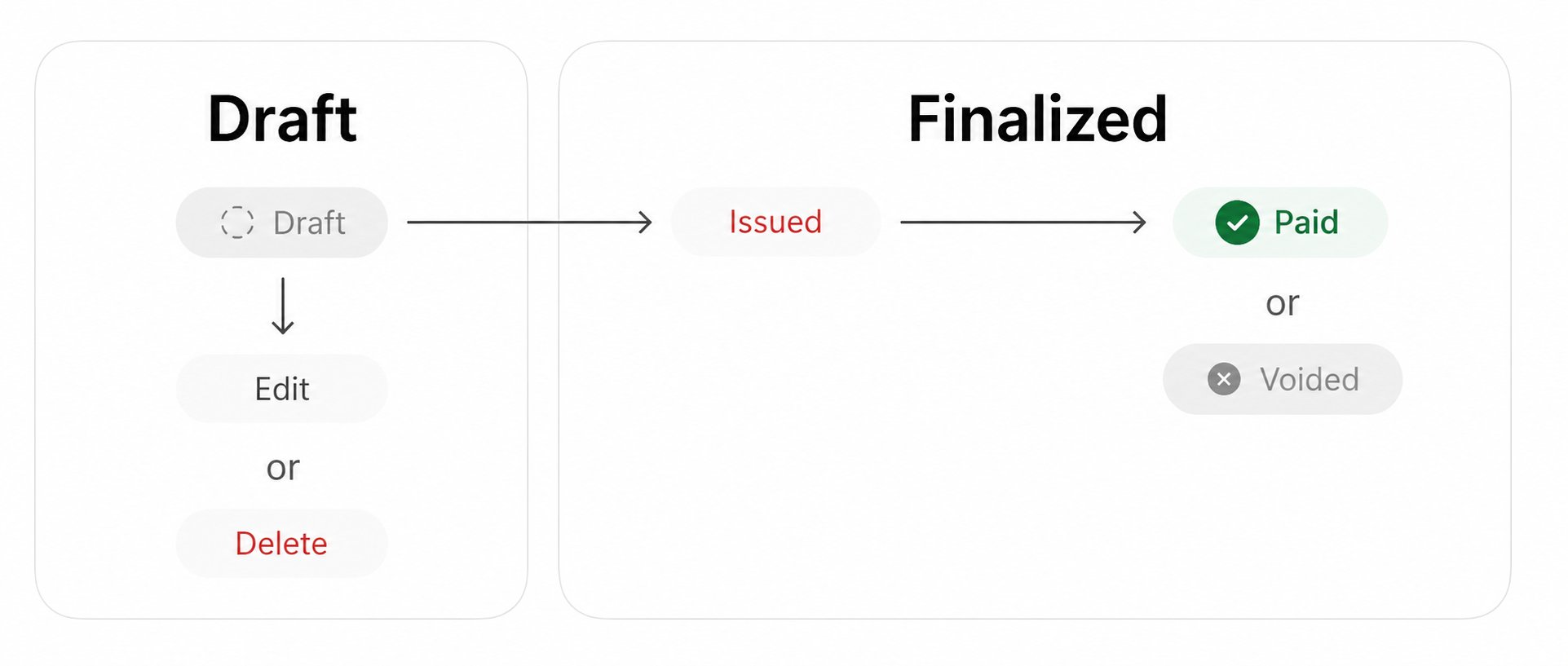
Invoice statuses in RNTOR show the invoice's current state in the billing process.
 ## Invoice statuses
RNTOR has the following invoice statuses:
| Status | Description |
| ---------- | ------------------------------------------------------------------------------------------------------------------------------------------------------------------ |
| **Draft** | The invoice has been created but is not issued yet. Draft invoices only get their number once they are issued. |
| **Issued** | The invoice has been issued but is not paid yet. |
| **Paid** | The invoice has been [**paid**](/docs/admin/billing/invoices/record-invoice-payments)—either online by the customer or recorded as paid externally by an administrator. |
| **Voided** | The invoice has been [**voided**](/docs/admin/billing/invoices/void-an-invoice) by an administrator. |
## Invoice payment statuses
Issued and paid invoices, in turn, display their payment statuses:
| Status | Description |
| ------------------------------- | --------------------------------------------------------------------------------------------------------------------------------------------------------------------------------------------------------------------------------------------------------------------------------------------------------------------------------------- |
| **Unpaid** | The invoice has been issued but is not paid yet. |
| **Pending** | The **Pending** status appears when:
## Invoice statuses
RNTOR has the following invoice statuses:
| Status | Description |
| ---------- | ------------------------------------------------------------------------------------------------------------------------------------------------------------------ |
| **Draft** | The invoice has been created but is not issued yet. Draft invoices only get their number once they are issued. |
| **Issued** | The invoice has been issued but is not paid yet. |
| **Paid** | The invoice has been [**paid**](/docs/admin/billing/invoices/record-invoice-payments)—either online by the customer or recorded as paid externally by an administrator. |
| **Voided** | The invoice has been [**voided**](/docs/admin/billing/invoices/void-an-invoice) by an administrator. |
## Invoice payment statuses
Issued and paid invoices, in turn, display their payment statuses:
| Status | Description |
| ------------------------------- | --------------------------------------------------------------------------------------------------------------------------------------------------------------------------------------------------------------------------------------------------------------------------------------------------------------------------------------- |
| **Unpaid** | The invoice has been issued but is not paid yet. |
| **Pending** | The **Pending** status appears when:
- The customer has opened the payment page but hasn’t entered the payment details yet.
- The payment attempt was made and is currently being processed by the customer’s bank.
Depending on the outcome, the status will update to **Paid**, **Unpaid**, or **Failed**. |
| **Failed** | The payment was declined by the payment gateway for some reason, e.g., an insufficient balance or an issue with the customer’s bank. The **Failed** status appears for failed auto-charge attempts and is marked with a red triangle. |
| **Refunded/Partially refunded** | An administrator issued a full or partial refund for this invoice. |
| **Disputed** | The customer disputed the payment with their bank. |
Payment processing time depends on the customer’s bank and the payment gateway. In some cases—especially with [**direct debits**](/docs/admin/integrations/payments/stripe/accept-invoice-payments-with-bank-debits)—processing the invoice payment can take several days. If an invoice remains in the **Pending** status for an extended period, check your payment gateway dashboard for more detailed information on the status or ask the customer to contact their bank.